
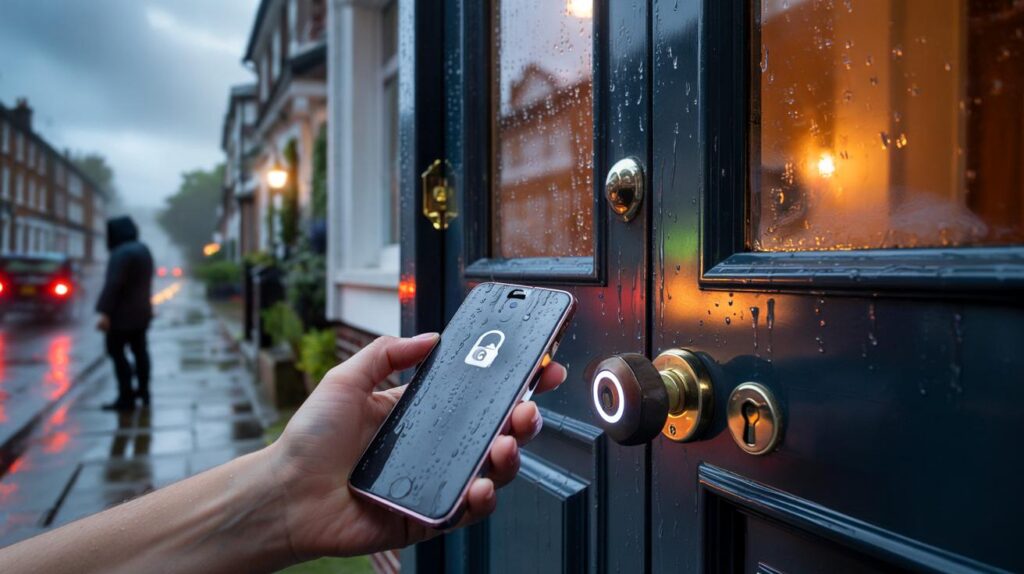
Your front door now lives in your phone. It feels modern, fast, almost invisible. It also opens a quiet debate: when a house key becomes an app, who else gets a say in your security?
Rain needles down on a London cul‑de‑sac as a woman hunches her shoulders, tote bag biting into her forearm. She doesn’t fish for keys. She taps her phone, hears a soft clunk, and steps into warmth before her tea goes cold. No jangle. No fumbling. Just a tiny chime and a door that behaves like magic.
She puts the kettle on and glances at her screen: “Guest access expires at 22:00.” It’s a neat little line that also makes your stomach dip. The app knows when you come and go, and it can switch others on and off with a thumb‑press. Whose thumb matters.
We’ve all had that moment when a thing becomes easier and somehow feels riskier. Digital door keys are the perfect example.
When your key is an app
Walk a city block and you’ll spot them: discreet smart locks, cardless office doors, hotels that send keys to your mobile. The pitch is irresistible. Your phone is already in your hand for messages and maps, so why not for your front door. Add in guest passes for cleaners or friends, and the old brass key looks antique overnight.
Retailers talk about brisk demand, landlords love instant access control, and short‑lets make checkout seamless. In one Manchester block, residents can buzz themselves in, ping a parcel room, and send a one‑hour code to a dog walker without leaving their desk. It’s smooth. It’s also shifting power quietly from a deadbolt to a dashboard.
That shift carries trade‑offs. A metal key doesn’t collect data or get phished. A digital key can be copied in the cloud, exposed through a weak password, or linger on a lost phone. Most systems use Bluetooth, Wi‑Fi or NFC with encrypted tokens, which is solid until settings slip or updates lag. The lock on your door is now part of a wider system: the app, your mobile’s security, the vendor’s servers, and the people with admin rights.
Hidden risks you can actually control
Start with the basics you control today. Lock your app behind the phone’s strongest gate: long passcode plus biometrics. Turn on app‑level PIN where available, and switch off “auto‑unlock by location” if you live in dense areas. Keep firmware updated from the manufacturer, and prefer local unlock (Bluetooth/NFC) for everyday use, falling back to cloud only when needed. If your lock supports it, set short‑lived guest passes and different codes for different people.
Common mistakes creep in when life gets busy. People share access by forwarding a screenshot, then forget to remove it. Old tenants keep a digital key weeks after moving out. Admin rights stay with a builder long past the renovation. Let’s be honest: nobody audits their access list every day. Build a ritual instead: monthly calendar ping, five‑minute clean‑up, done. Small habit, big margin of safety.
Think like a pessimist and design for failure. If your phone dies, have a backup path: a physical cylinder, a secure NFC card, or a watch with its own unlock. Use your mobile’s “Find my device” to revoke keys the moment it’s lost. Keep an eye on vendor promises too — in the UK, the PSTI rules now ban default passwords and require clear update policies for connected products.
“A smart lock is a tiny computer on your door. Treat it like one.”
- Use a long phone passcode and biometric unlock for the app.
- Disable broad geofenced auto‑unlock; prefer tap‑to‑open.
- Rotate guest keys and remove ex‑access monthly.
- Update lock firmware; skim release notes for security fixes.
- Keep a non‑digital fallback for true emergencies.
Experts’ quiet worry: convenience creep
Security pros talk about “convenience creep” — settings that start tight, then loosen as life piles in. You enable auto‑unlock for the school run, share a permanent code with a contractor “just for this week”, leave cloud access on because it helped once during a weekend away. Each nudge feels harmless. Over time, it builds a ladder for attackers who don’t kick doors, they wait for human shortcuts. *A good system forgives your worst day without giving away your best one.* The modern sweet spot is local‑first control, short‑lived sharing, and a clear escape hatch when tech sulks at 1 a.m. in the rain.
| Key points | Details | Interest for reader |
|---|---|---|
| — | Digital keys shift risk from metal to mobile, app, and cloud. | See where the real weak spots live. |
| — | Practical settings beat exotic features: local unlock, short guest keys, updates. | Actions you can take in five minutes. |
| — | Plan for failure: battery dead, phone lost, vendor outage. | Stay inside your home when tech misbehaves. |
FAQ :
- Are app‑based door keys actually safe?With strong phone security, app PIN, and local unlock, the risk is comparable to a well‑managed mechanical key. Weak passwords and stale guest access tilt the odds the wrong way.
- What if my phone battery dies outside?Carry a backup: an NFC card, a watch with offline credentials, or a hidden but secure mechanical key cylinder. Many locks support at‑door power bump via USB for emergencies.
- Can hackers open my door from the internet?Remote takeovers are rare on well‑designed systems. Most real‑world issues stem from poor passwords, phishing of the account, or someone still having access you meant to remove.
- Which settings give the best balance?Biometric + long passcode, app‑level PIN, local‑first unlock, short‑lived guest passes, update alerts, and a physical fallback. **Turn off broad geofence auto‑unlock if you live in flats or dense streets.**
- What about data privacy — who sees my logs?Read the vendor’s privacy policy and choose “store locally” if offered. **Avoid sharing permanent keys, and prune access logs you don’t need.** If you rent, agree in writing who holds admin rights.



Loved the “convenience creep” framing. Any recommendations for smart lock vendors that default to local‑first and publish clear firmware update timelines, not just marketing fluff?
So my door is a tiny computer… does that mean it needs to reboot at 1 a.m. in the rain? Asking for a frend. Also, what’s the offline plan if both the phone and watch die?