
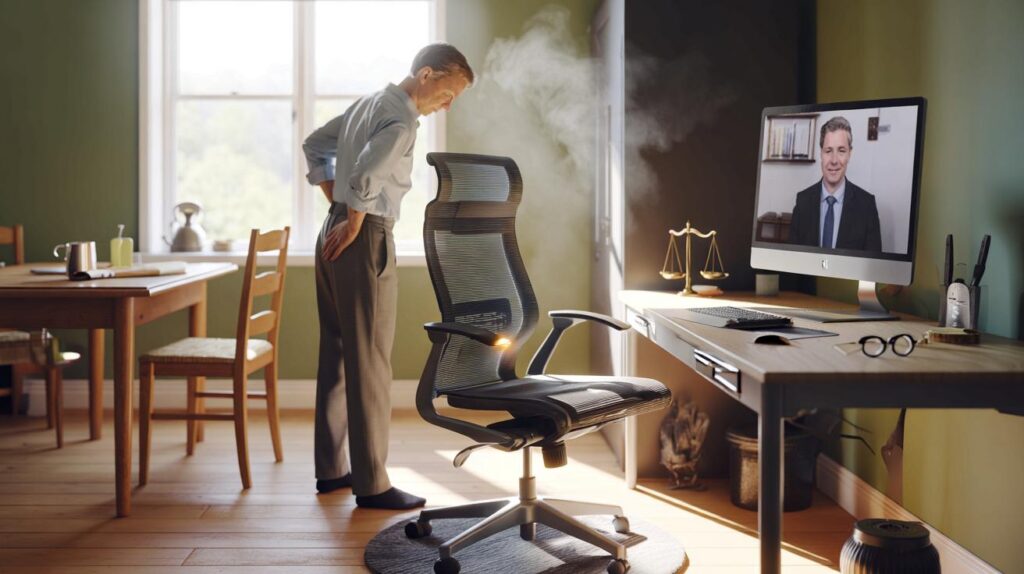
Back pain meets hybrid working, and the question lands in your inbox: who’s paying for the ergonomic chair — you or your employer?
The office is now your kitchen table. Steam from the kettle, laptop open, a stubborn ache that flares as the emails pile up. Your manager says there’s “a process for equipment requests,” HR sends a cheerful link to a risk assessment form, and you’re left Googling chairs that cost more than your rent did at university.
You shift on a dining chair that never signed up for this job. *Your back is whispering long before it screams.* You scroll, you wince, you wonder how people decide these things — comfort, cost, or compliance.
We’ve all had that moment when you realise your body is doing admin your company should handle. The answer feels simple, then gets knotty. The law draws a line you can’t see.
What the law really says about your chair
There isn’t a magical right to a free chair for everyone. The UK rules say something sharper: employers must manage risks from display screen work and provide appropriate control measures. That’s the Health and Safety at Work Act, the Management Regulations, and the Display Screen Equipment (DSE) Regulations doing their quiet work.
So what does that look like in real life? If you’re a “regular user” of a computer, your employer should carry out a DSE assessment and fix the problems it finds. **No, there’s no universal right to a free chair**, but there is a duty to reduce foreseeable risk — which might mean an adjustable chair, a footrest, or changes to how you work.
Here’s the other route: the Equality Act. If you have a disability that impacts your work (a long-term back condition counts for many), your employer must make reasonable adjustments. That can include a specialist ergonomic chair. **Reasonable adjustments trump policy**. It’s not a perk; it’s an obligation, shaped by reasonableness, cost, and impact.
Stories, numbers, and the grey area of home working
Sam, a project manager in Manchester, moved to hybrid. Three days at home, two in the office, one persistent pain where the spine meets a stubborn chair. The DSE assessment flagged posture and desk height. The company funded a mid-range ergonomic chair, a monitor riser, and a footrest. Not a £900 executive throne, but a fix grounded in evidence.
Statistics hint at the scale. The Health and Safety Executive estimates hundreds of thousands of workers with work-related musculoskeletal disorders each year, with millions of working days lost. It isn’t just “bad chairs”. It’s long sitting, poor setup, and small compromises stacked over time. **But there are clear duties**, and they don’t vanish just because the office is your spare room.
Remote and hybrid work sit under the same DSE umbrella for regular users. Your employer can manage risk with equipment, changes to tasks, breaks, or training. Buying your own chair without agreement and sending the receipt rarely ends well. If the risk assessment points to equipment, the responsibility to control that risk rests with the employer. That’s the backbone of this.
How to ask — and actually get help
Start like a professional. Ask for a DSE assessment in writing. Keep a short log of symptoms and how work tasks trigger them. Offer a “good-better-best” set of options with prices and links: a quality adjustable chair, a mid-level model, and a stopgap like a lumbar support and footrest.
Include medical notes if you have them, and mention Access to Work if your condition might count as a disability. Your employer can also refer you to Occupational Health. Frame it around risk and productivity, not comfort alone. Let’s be honest: nobody actually does this every day — but when you do, it works.
Common mistakes are easy to avoid. Don’t demand the most expensive model without evidence. Don’t buy first and argue later. Don’t ignore quick wins like screen height and seat depth. Frame it as a shared solution, not an ultimatum.
“You’re not asking for a perk. You’re proposing a reasonable control for a foreseeable risk,” says one employment lawyer. “That’s what the law expects.”
- One photo of your current setup, sitting as you actually work
- Brief note from GP/physio, if you have one
- Three chair options with VAT-included prices and delivery times
- Key specs: height/seat-depth adjustability, lumbar support, five-point base
- Two lines on impact: pain, focus, and any time lost
What about when the answer is still “no”?
Sometimes the process stalls. Maybe there’s a budget freeze or a policy that says “office equipment stays in the office.” That’s where clarity helps. Put the risk assessment outcome in writing. Ask what control measures will be provided and when. If the chair is recommended, ask whether a loan, stipend, or supplier order is preferred. If you live with a long-term condition, say you are requesting a reasonable adjustment under the Equality Act and ask for an Occupational Health review. If you get a flat refusal, keep it factual and escalate through your manager, HR, or a grievance process. ACAS has guidance on next steps if dialogue breaks down. And if you already bought a chair, frame your reimbursement request as a goodwill ask unless you had prior approval. Policies vary, but a measured, evidence-first approach travels well. Quiet persistence tends to beat righteous fury.
| Key points | Details | Interest for reader |
|---|---|---|
| — | Employers must manage DSE risks for regular computer users, including at home. | Know what the law actually requires, not myths. |
| — | The Equality Act can require a specialist chair as a reasonable adjustment. | Understand when “no” has to turn into “yes”. |
| — | Evidence-led requests and tiered options get approved faster. | Practical steps you can act on this week. |
FAQ :
- Do employers have to buy ergonomic chairs for everyone?Not automatically. They must control risks identified by a DSE assessment. That might be an ergonomic chair, or it might be other measures like a footrest, screen riser, or changes to work patterns.
- Does this apply if I work from home?Yes. If you’re a regular display screen user, DSE duties still apply in a home setup. The employer can meet duties by providing equipment, guidance, or changes to tasks and breaks.
- What if I already bought a chair and want reimbursement?Unless it was agreed beforehand, reimbursement isn’t guaranteed. Share evidence and ask as a goodwill gesture. Future purchases should go through the DSE process or your equipment policy.
- I have a long-term back condition. What changes the picture?The Equality Act may apply. Reasonable adjustments can include a specialist chair, and Access to Work can help fund equipment. A short note from a clinician and an Occupational Health referral can speed this up.
- Is there a tax angle if my employer buys the chair?If the chair is mainly for work and any private use is insignificant, it’s typically not a taxable benefit. If you buy it yourself, it’s rarely an allowable personal expense. Policies and HMRC rules can shift, so check the latest guidance.



Helpful breakdown. If I’m a regular user but split time between home and a co‑working space I pay for, does my employer stil have to provide the DSE controls for the home setup? And do Equality Act ‘reasonable adjustments’ apply the same for fixed‑term staff or contractors via an umbrella?