
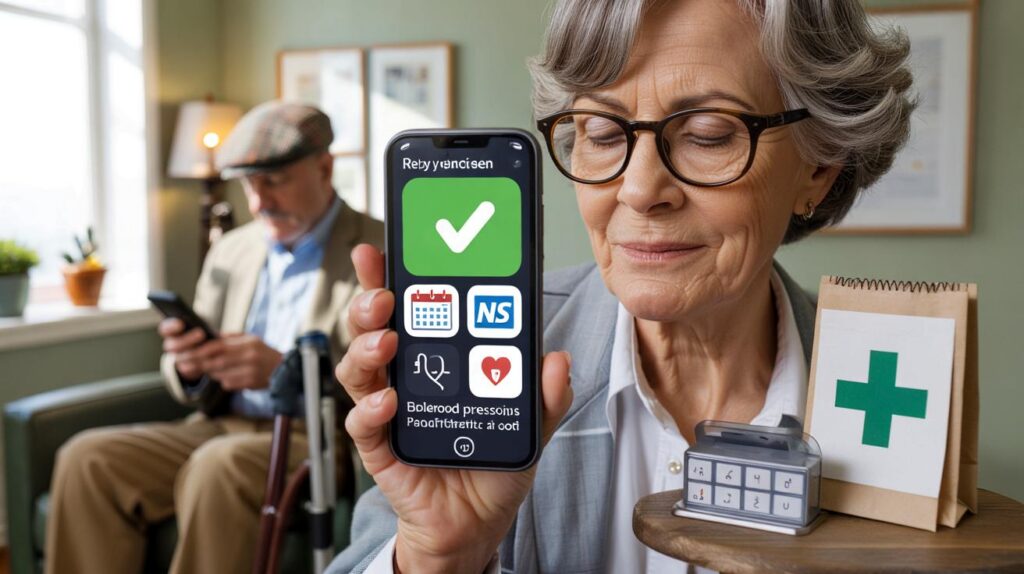
The waiting room hums with quiet rituals: a cough behind a magazine, the clack of a walking stick, the kettle in the corner finally giving up a hiss. A man in a tweed cap glances down as his smartphone gives a soft bloom of light. He checks a reminder in the NHS App, taps to confirm his blood pressure reading was logged this morning, then pockets the phone like nothing happened. Across from him, a woman runs a thumb over a cracked screen to show her daughter a green tick: prescription ready at the pharmacy. This isn’t a tech showcase. It looks like everyday life. Something quiet is changing.
The quiet rise of older app users
At kitchen tables across the UK, small screens now anchor the health routine. A pill chime between the crossword and the first cuppa. A neat green circle when steps hit the target on a brisk walk to the postbox. Many older adults don’t talk about “digital health” at all. They talk about feeling on top of things.
Take Margaret, 74, who lives alone in Bradford. She uses the NHS App to book flu jabs, myGP for repeat prescriptions, and a blood pressure app connected to a cuff her son bought online. Missed appointments used to be a running joke; texts and app nudges mean she rarely forgets now. Several GP practices report fewer no‑shows since rolling out app reminders and calendar links — a small fix that keeps clinics flowing.
Why does this click? Because the tech asks for tiny actions and gives clear wins. A nudge, a tap, a tick. Apps fold into the day without drama — larger fonts, voice prompts, reliable alerts. When appointments land directly in the calendar and repeat prescriptions ping before they run out, worries shrink. It starts small: a nudge, a ring, a tiny icon you learn to trust.
Making the phone do the nagging
Start with the essentials. Download the NHS App, connect it to your GP surgery, then switch on notifications for messages, test results, and booked slots. Add a medication reminder app that speaks your schedule — morning, lunch, evening — and pair it with your phone’s calendar so one glance shows the day’s health chores. The phone becomes the friendly nag you asked for.
Keep signals simple to avoid a wall of noise. Pick one app for meds, one for appointments, one for activity — no more. Set only the alerts that matter: pills, appointments, prescriptions ready. Let’s be honest: nobody does that every day. So choose realistic targets, like a 20‑minute walk before tea, and celebrate the streaks you actually keep.
We’ve all had that moment when a reminder pops up and you either sigh or smile. That feeling is the difference between a habit sticking and a habit slipping.
“I don’t think of it as ‘health tech’. It’s just the tap that keeps life moving — like the kettle, like the calendar on the fridge,” says Patricia, 71, who tracks her blood pressure three mornings a week.
- Tune the basics: enlarge text, use a clear ringtone, and place the health apps on the first home screen.
- Use biometric login so you’re not wrestling passwords at the chemist counter.
- Add emergency details to the lock screen; carers and paramedics look for that.
What changes when care gets organised
The real shift isn’t flashy graphs; it’s the calm. When older adults see their next appointment pinned, their meds counted, their steps creeping up, energy moves elsewhere — to gardening, to grandkids, to sleep that comes easier. Family chats soften too; less chasing, more checking‑in. And for those living with diabetes or heart conditions, quiet certainty replaces guesswork: today’s numbers are there, and tomorrow’s plan is ready. **Good enough beats perfect.** Not every day will glow green, yet the baseline climbs. GPs get clearer stories, carers get less midnight panic, and the person holding the phone gets a bit more of their week back. That’s the kind of progress you feel in the body, not just on a screen.
| Key points | Details | Interest for reader |
|---|---|---|
| Older adults are embracing practical health apps | NHS App, myGP, Patient Access help book appointments, view results, manage prescriptions | See what’s worth installing first and why it sticks |
| Simple, well‑timed nudges beat complex dashboards | Medication reminders, calendar links, and quiet alerts form easy habits | Adopt routines that reduce stress without adding tech fuss |
| Privacy and safety can be straightforward | Biometrics, lock‑screen emergency info, minimal data sharing | Stay in control while getting the benefits |
FAQ :
- Which apps do older adults in the UK actually use?NHS App for appointments and prescriptions; Patient Access or myGP for surgery services; Google Fit or Apple Health for activity; simple med‑reminder apps like Medisafe; for diabetes, LibreLink or Dexcom apps where prescribed.
- How do I link the NHS App to my GP surgery?Download the NHS App, verify your identity, then choose your GP practice in the app. Many people can link instantly using NHS login; some may need a linkage code from the surgery.
- Will notifications get overwhelming?Trim to three essentials: meds, appointments, prescriptions ready. Turn off everything else. You can set quiet hours so alerts don’t ping at night.
- What about privacy and security?Use a phone lock, turn on Face ID or fingerprint login, and keep app sharing to the minimum required. Store a paper list of medicines at home as a fallback.
- How can I help a parent or neighbour start?Begin with one small win — booking an appointment or setting a single pill reminder. Put the app on the first home screen and show how to reopen it. **Tiny habits add up.**



Loved this. Helping my dad (78) switch to the NHS App and a simple med reminder basically ended the missed-appointment shuffle. The “one nudge, one tap, one tick” idea really resonates. We enlarged text and put the apps on the first screen—tiny changes, huge calm. He even checks steps on his walk to the postbox now. Honestly, good-enough beats perfect—wish we’d done this sooner!