
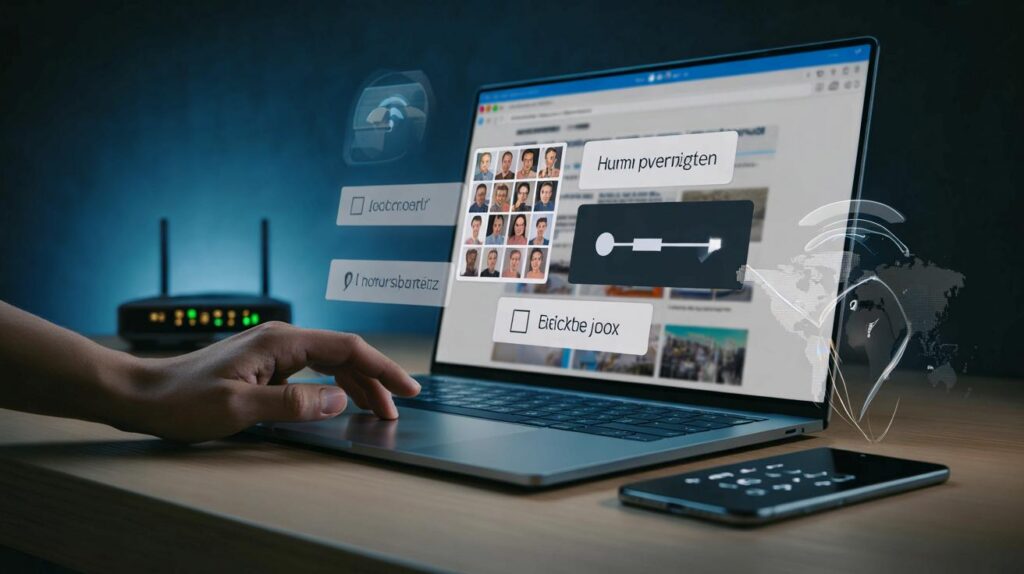
Unexpected checks are popping up on news sites and shops. Your page freezes. A puzzle appears. You feel accused.
Websites now challenge visitors more often, as publishers defend content and curb data-scraping. Many readers get flagged by mistake, then face hoops, timeouts and opaque rules.
What’s really happening when a site says “help us verify you”
Publishers have tightened shields against automated tools that copy articles at scale. They watch for patterns that look robotic, such as very fast clicks or dozens of pages requested in seconds. They also block the harvesting of content for training artificial intelligence systems without a licence.
Sites treat rapid, repetitive or masked browsing as a warning sign. You may see a hold page even when you did nothing wrong.
False alarms happen for many reasons. Shared office networks can funnel many readers through one visible address. Browser add-ons can hide normal signals. Translation tools and private windows can change fingerprints. The protection kicks in, and the wall goes up.
Seven common triggers that make real people look like bots
- Opening many tabs from the same site within a short burst.
- Using a virtual private network or a privacy relay that rotates your apparent location.
- Blocking cookies, scripts or images that the site uses to assess activity.
- Reloading pages quickly after errors, or using auto-refresh tools.
- Running aggressive ad or tracker blocking that breaks verification widgets.
- Visiting through a translation or reading service that changes the page structure.
- Sharing public Wi‑Fi where dozens of people hit the same site at once.
Why publishers care now
Digital newsrooms face scraping from unknown actors that mirror content, aggregate headlines, or feed machine-learning models. That drains value from reporting and can breach site terms. Many organisations say that automated access, text and data mining, and large-scale copying now require explicit permission and, often, a paid licence.
Firms draw a line between a person reading an article and a tool vacuuming a website. The first is welcomed. The second can get blocked.
Security teams also fight fraud, credential stuffing, and spam comments. The same tools that stop those risks sometimes catch harmless activity. That’s the trade-off behind the friction you feel.
The checks you’ll see — and how to get through them faster
Verification systems vary. Some look for mouse movement and simple interaction. Others call device attestation services or test your browser with small puzzles. Accessibility matters, so many sites now add audio or alternative tasks if images or sliders fail.
| Check type | What you do | Typical time | Common snags |
|---|---|---|---|
| Single tick box | Click “I’m not a robot” and wait | 3–6 seconds | Blocked scripts prevent the tick from registering |
| Image puzzle | Select tiles with a stated object | 10–30 seconds | Hard on mobiles and screen readers |
| Slider or drag test | Move a puzzle piece into place | 5–12 seconds | Fails if touch events are blocked |
| One-time code | Enter a code sent to email or SMS | 30–90 seconds | Delays if inbox filters or roaming issues hit |
| Device attestation | No action, background trust check | 1–3 seconds | Old browsers fail silently, causing loops |
Quick fixes when you’re stuck on a verification loop
- Refresh once only. Repeated reloads look robotic.
- Switch off extreme privacy or script-blocking add-ons for that domain and try again.
- Allow first-party cookies from the site so the check can store a pass token.
- Disable your virtual private network for a moment, or pick a stable location.
- Close extra tabs from the same site to reduce burst activity.
- Update your browser. Older versions fail modern checks.
- If an audio or accessible path exists, use it to avoid image grids.
What to do if you keep getting mistaken for a bot
Most publishers provide a support address for genuine readers. When you write, include time, your region, and a brief description of what you were doing. Avoid sending screenshots with personal data. Ask whether your network has been flagged and whether they can whitelist a session.
Work networks and student campuses sometimes route traffic through a small set of outward addresses. That can trigger rate limits. If you can, test your home connection or a mobile network to confirm whether the problem follows you or the office IP.
If you use automation for personal convenience, such as feed readers or price trackers, point them at official feeds or APIs. Unofficial scraping risks blocks and could breach terms. Licensed access exists for commercial use cases, often with rate limits and clear attribution rules.
Your rights, the rules, and the grey areas
In the United Kingdom, reading a page as a person with lawful access sits on solid ground. Systematic copying for commercial purposes usually needs permission. Research exemptions often cover non‑commercial study with lawful access, yet contracts may restrict copying. Publishers lean on terms and technical barriers to enforce those limits.
Regulators and courts continue to test boundaries around data mining, training models and fair dealing. The debate will move, but the immediate reality on consumer sites is simple: if a system thinks you are automated, it will challenge you. Passing checks keeps the page flowing. Challenging checks at scale often needs a licence.
How sites balance safety and convenience
Editors want pages to load quickly and cleanly. Security teams want fewer fake accounts and less scraping. Engineers tune thresholds daily. If abuse rises, checks grow stricter. If false positives rise, checks loosen. Your feedback helps find the balance.
If you repeatedly hit a wall, assume a technical cause first. Fix your setup before you blame the newsroom.
Going deeper: practical examples and risks to weigh
Example scenario: you open 15 sports match reports in new tabs during a commute while on a virtual private network. The site sees many requests from a rotating region, within seconds, with a fingerprint shaped by several privacy add-ons. The system triggers an image puzzle. You pass once, then the loop returns when the virtual private network flips location. The fix is to pause the virtual private network for that session, allow cookies, and space out tab loads.
Risk to consider: third-party verification widgets can collect device signals. Read the privacy notice. Using a modern browser with privacy protections helps reduce tracking while still passing functional checks. Many browsers now offer balanced settings that permit crucial scripts but block cross-site tracking.
Advantage of approved access: if your organisation needs consistent bulk access for research, licensed feeds or archives reduce friction and legal risk. You get reliability, attribution guidance and rate ceilings that fit your tools. You also avoid sudden lockouts when a protection rule changes.
Term to know: device attestation. It is a background test where a trusted service verifies that your browser runs on a real device and not in a spoofed environment. It feels invisible when it works, yet it can fail on outdated systems. Keep your device and browser patched to pass silently.
Try a simple simulation at home. Load a site, then switch on an aggressive content blocker and reload the same page. Note which widgets break. Then create a rule to allow scripts from the primary domain while keeping third-party trackers off. You improve privacy while keeping the verification path intact.
For frequent travellers, consider a stable virtual private network exit near your usual region rather than constantly rotating locations. Consistency reduces suspicion. Set your browser language to match your reading language. Small signals add up and can nudge a system to treat you as human on the first try.



So my 20 open tabs and a VPN make me “suspicious”? Guilty as charged. Guess I’ll stop the burst-clicking… maybe.
Any updates on device attestaion breaking on older browsers? Also, how are image puzzles handled for screen reader users—still rough on mobile?