
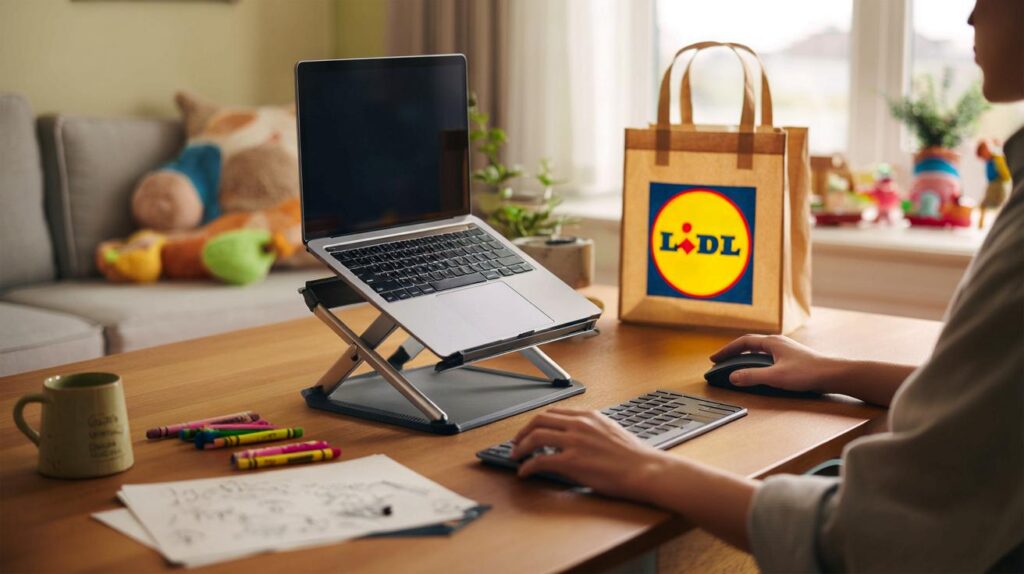
Back-to-back calls, cramped corners and makeshift desks are wearing people down. One tiny tweak could shift the balance today.
Remote work runs on improvisation, yet bodies pay the price. A budget stand landing at Lidl nudges screens higher and strain lower, without flattening wallets.
Why this £3.99 stand matters now
On 17 September 2025, Lidl stocked a Tronic adjustable laptop stand for just £3.99. That’s coffee change for a fix that nudges posture into safer territory. For parents juggling nap-time sprints and bedtime inboxes, raising the screen a few centimetres can mean fewer aches and a clearer head.
For £3.99, shoppers get an adjustable Tronic laptop stand that lifts the screen, trims neck bend and tidies cramped setups.
WFH was supposed to be flexible. Many homes aren’t. Kitchen tables double as offices. Sofas become meeting rooms. A stand that tilts and elevates while folding away again answers the real world, not the show home.
The squeeze on working parents
Care schedules change by the hour. You might perch at the breakfast bar at 7am, tuck into emails at the table at noon, then chase a deadline from the sofa after lights-out. The stand’s adjustable angle supports each move without a faff. Less slouching means fewer shoulder twinges and fewer headaches by late afternoon.
What you actually get for £3.99
Lidl sells the stand under its Tronic label, the retailer’s own electronics range known for practical kit at rock-bottom prices. The design is compact and folds down for drawers, rucksacks or that crowded shelf by the kettle. It’s built to support common laptop sizes, from 13-inch machines to larger 15-inch models.
| Product | Tronic adjustable laptop stand |
|---|---|
| Retailer | Lidl |
| Price | £3.99 |
| On sale | 17 September 2025 (subject to store stock) |
| Key idea | Adjustable height and angle, compact footprint, easy storage |
| Suitable laptops | Typically 13–15 inches (check stability with your device) |
| Use cases | Kitchen tables, sofas, living-room corners, shared spaces |
Adjustability that targets posture
Tilting the base reduces the bend in your neck by lifting the top of the screen towards eye level. That change alone can ease stress on the cervical spine. It also frees space under the laptop for airflow, which may help heat dissipation. The compact format keeps the footprint small, so plates, crayons and chargers still fit on family tables.
Raise the screen to eye level, keep elbows near 90 degrees, and let the stand do the heavy lifting against hunching.
Does it fit your setup?
Compatibility is broad, but it pays to match the stand to the way you work. The Lidl model shines in small, shared spaces and frequent pack-away routines. It prioritises easy angle changes over chunky desk presence.
- Short work bursts at the table: lift the screen and pair with an external keyboard to keep wrists neutral.
- Sofa sessions: angle the screen up and plant feet flat on the floor to reduce hip and lower-back strain.
- Shared family desks: fold it down in seconds and stash in a drawer when homework starts.
- Hot-desking between rooms: lightweight kit moves with you without juggling heavy arms or clamps.
Pair it with the right kit
A stand does its best work with a separate keyboard and mouse. That combination keeps hands low while eyes stay high. Even a basic wired set for under a tenner can transform comfort. A firm chair, a cushion for lumbar support, and a box for foot support round out the fix without major spend.
Value without the badge premium
Many laptop stands land between £20 and £40. They may offer thicker metal, set-height rungs or built-in risers. The Tronic stand cuts to the essentials: angle, small size, quick fold, very low cost. For students, freelancers and carers who pack away the “office” several times a day, that trade-off makes sense.
Price also lowers the barrier to trying ergonomic changes. If you’ve resisted stands as an extravagance, £3.99 invites a test. If it reduces strain within a week, it has earned its keep. If it doesn’t suit your machine or habits, the loss is small.
Ergonomic checks that spare your neck
- Screen height: the top of the display should sit roughly at, or just below, eye level.
- Viewing distance: keep the screen about an arm’s length away to reduce eye strain.
- Keyboard and mouse: keep forearms level, elbows near 90 degrees, wrists straight.
- Feet and hips: feet flat on the floor or a footrest; hips and knees close to 90 degrees.
- Breaks: stand, stretch, or walk for a minute every 30–45 minutes to reset posture.
- Glare: angle the screen to cut reflections; adjust brightness to match the room.
What to check in store before you buy
Middle-aisle finds can vary by branch and sell through quickly. If you spot the stand, run a quick hands-on check:
- Stability: press on the corners with a laptop’s weight in mind; it shouldn’t wobble.
- Non-slip points: look for pads where the laptop meets the stand and where the stand meets the desk.
- Angle range: test the minimum and maximum tilt to cover your usual seating spots.
- Hinge feel: it should move smoothly but hold position without droop.
- Ventilation gaps: make sure the base doesn’t block your laptop’s vents.
Small upgrades that stack big comfort gains
Ergonomics add up. A £3.99 stand aligns your neck. A cushion supports the lower back. A cheap keyboard frees your wrists. Together, these changes convert a borrowed table into a workable station. If you use a 13-inch laptop, bump text size a notch to keep shoulders from creeping upwards. If you rely on a 15-inch device, angle modestly to avoid tilting the wrists too steeply.
Parents under pressure can also rotate task “zones” to share space: laptop on the stand for deep work at the table, then fold it away for drawing or snacks. A tray with the stand, keyboard and mouse shortens setup time to seconds, so you spend the next five minutes working, not rearranging the room.
The bigger picture: your back is worth more than £4
Neck and back pain drain energy and patience, which families can’t spare. A low-cost stand won’t replace a dedicated desk, yet it pushes key angles into a safer range. Combine it with movement breaks and a couple of low-priced accessories, and a hectic home starts to feel workable. That’s value you notice on Wednesday evening, not just at the checkout.
Four pounds to lift your screen, calm your shoulders and claim back focus is the rare bargain that pays you daily.
Before you rush
Stock moves fast, and designs can differ. If your laptop is unusually heavy or has rear vents only, check fit and airflow carefully. Keep the receipt in case your setup needs a sturdier model. If you miss this drop, don’t abandon the plan: the principle remains the same. Raise the screen, separate the typing, and make the most of the space you have.



Picked up the Tronic stand at Lidl this morning for £3.99 — shockingly decent. Holds my 14” ThinkPad fine, angle changes are smooth, and folding it away between toddler snack attacks is a lifesaver. Pair it with a cheap wired keyboard to keep wrists neutral and your neck happier. For four quid, this is defintely a middle-aisle win.