
You try to be present at work and at home. Then the pings start stacking, meetings slide, and your to‑do list multiplies like laundry after a rainy weekend. Time‑management apps promise to fix it all, yet your evenings still feel stolen. Maybe the app isn’t the problem. Maybe the way it treats your time is.
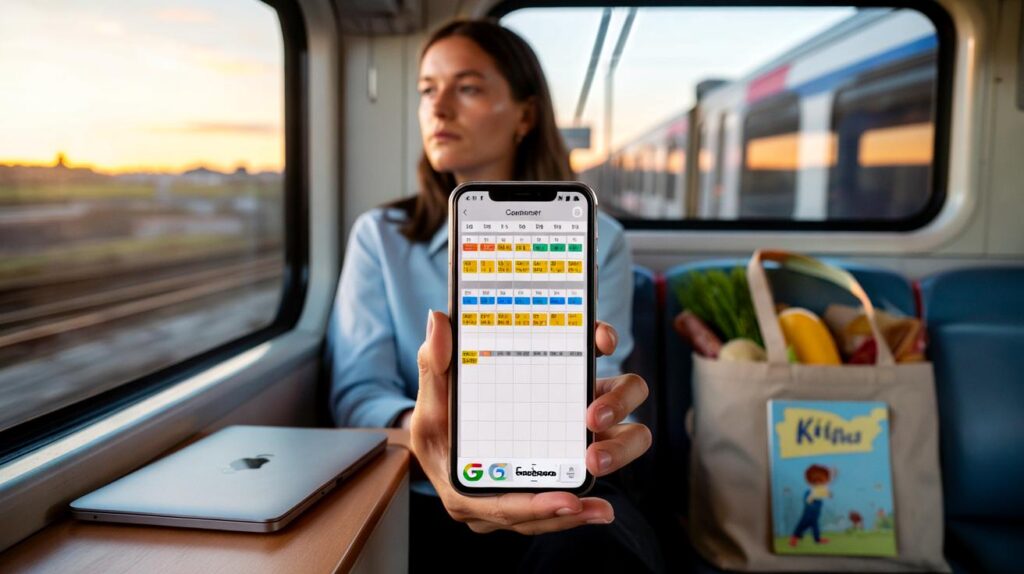
The 7:32 to Clapham is half-empty and gently clattering, the kind of commute where thoughts line up neatly. I watch a woman flick between Slack, Calendar, and a notes app, thumbs moving fast, face set to “hold it together”. Her phone shows a task due at 6pm: “Buy milk, bedtime story.” Work spills, home slips.
Her calendar throws up an alert: “Time block overflow.” She exhales, closes the screen, and stares at the window’s smeared light. I’ve had that soundless little panic, too. Then one tiny toggle changed the week.
The apps that actually shift your day
Most time apps fit four families: lists, calendars, focus, and trackers. Todoist, TickTick, Microsoft To Do, and Things 3 help you capture tasks fast. Google Calendar, Apple Calendar, Fantastical, Motion, Reclaim, and Sorted turn time into blocks. Focus tools like Forest and Focus To‑Do nudge you to stay with one thing. RescueTime and Toggl Track watch how your hours actually go.
They all look slick. The difference is what they make you do. Lists collect promises. Calendars force trade‑offs. Focus timers create small, breathable fences. Trackers tell the truth without judgement. The best blend feels almost boring on day three, yet strangely calming by Friday.
Meet Maya, a project manager in Manchester with two school runs and a boss who loves “quick syncs”. She tried three apps in two weeks: Todoist for capture, TickTick for its built‑in Pomodoro, and Sunsama for daily planning that pushes tasks onto the calendar. Week one, she still shut her laptop at 7:20pm and reheated pasta. Week two, with Sunsama limiting her to six meaningful tasks and scheduling them into her work hours, she stopped at 5:45, walked to the shop, and read “The Gruffalo” twice. The work didn’t vanish. Her day finally had edges.
What changed wasn’t willpower. It was design. Apps that make you assign time, not just dates, cut fantasy lists down to reality. Motion auto‑schedules tasks around meetings and moves them when things slip. Reclaim protects habits like lunch, admin, and gym, turning them into recurring blocks in your “free” time. Notion is beautiful for projects, yet it can become a second job. Time blocking beats task hoarding when work bleeds past six because the calendar is the only place your day can say “no”.
Using them without losing your soul
Start with a time budget. Plan only 60% of your workday, keep 40% as a cushion. Create two calendars—Work and Personal—both visible, different colours, same priority. Turn on working hours in Google Calendar or Outlook so auto‑schedulers don’t sneak tasks into the night. Add a daily shutdown ritual in Sunsama, or use RescueTime’s Focus Plan to block the usual attention traps. One small rule: if a task takes longer than 30 minutes, it earns a block.
We’ve all had that moment when a “five‑minute” task eats an afternoon. The trap is fiddling with labels, filters, and themes instead of facing trade‑offs. Keep projects basic. Limit priorities to three. Build a parking lot for “later”, and sweep it once a week. Let the app be boring so your day isn’t. Let’s be honest: nobody really does this every day.
Your system needs empathy baked in. Short tasks cluster before or after meetings. Big creative work sits where your energy’s highest, not where your calendar’s emptiest. When the app suggests a late slot, teach it—say no, and move it. That’s how software learns your boundaries.
“Time blocking isn’t control for control’s sake. It’s kindness to your future self.”
- Best for strict boundaries: Sunsama — daily planning, calendar‑first, gentle limits that stop overloading your day.
- Best for automation: Motion — auto‑schedules around meetings, great when your day gets reshuffled constantly.
- Best all‑in‑one value: TickTick — fast capture, decent project views, Pomodoro built in, cross‑platform.
- Best awareness partner: RescueTime — shows where your time actually goes and nudges focus when you drift.
- Best free baseline: Google Calendar + Tasks — simple time blocks, recurring routines, and mobile widgets.
So which one really improves your work–life balance?
Balance is a feeling more than a metric, and that’s why Sunsama often wins for real life. You sit down, it asks what matters today, and it pushes only those tasks into the hours you have. The limits aren’t scolding; they’re a relief. Motion feels magical when you face a wave of meetings, yet it can pack your day too tight if you don’t set working hours and buffers. TickTick is the best “one app” if you want tasks, calendar view, and a built‑in focus timer without a subscription shock. Pair RescueTime with any of them for light, honest feedback about your patterns. Our pick for most people: Sunsama, because it protects the space after work as fiercely as the time within it.
Your phone can be the problem and the cure. Start small: a daily planning cut‑off, a 60% time budget, and a single place where tasks become time. Share your Personal calendar with yourself at work, not so colleagues see it, but so you do. The moment you see that gym block collide with a “quick sync”, you start telling better stories with your day. That’s where balance lives—between the things you want to do and the time you’re willing to give them.
| Key points | Details | Interest for reader |
|---|---|---|
| Sunsama often improves balance | Daily planning, calendar‑first limits, humane friction | Helps end work on time without guilt |
| Time budgets beat big lists | Plan 60% of the day, keep 40% buffer, block 30‑minute+ tasks | Fewer overruns, calmer evenings |
| Pick by problem, not by features | Motion for chaos, TickTick for value, RescueTime for awareness | Faster path to a system that actually sticks |
FAQ :
- Which should I choose: a time‑blocking app or a to‑do app?Pick by pain. If your lists balloon and evenings vanish, you need calendar blocks (Sunsama, Motion, Sorted). If you drop tasks or feel scattered, start with a fast list (Todoist, TickTick) and layer simple blocks.
- Do Motion and Sunsama work with Google Calendar and Outlook?Both connect to Google Calendar. Sunsama integrates with Outlook via Microsoft 365; Motion has Outlook options too. The key is to set working hours and block types so they honour your boundaries.
- Can I get similar results for free?Yes. Use Google Calendar for 60–90 minute blocks, Google Tasks for capture, and iOS/Android Focus modes for quiet. You won’t get coaching or automation, but you’ll get the core benefit.
- How long until I feel a difference?Often a week. Day one feels clunky, day three feels lighter, day five you start trusting the plan. Give it two weeks before you tweak the setup.
- What if I’m neurodivergent or live with ADHD?Lean on visual time and low friction. TickTick’s timers and rewards, large calendar blocks with alarms, and RescueTime’s gentle nudges can help. Keep rules simple and forgiving.



This nails the difference between lists and calendars. After years of hoarding tasks in Todoist, switching to Sunsama’s daily plan + time blocks actually got me out by 6:10 yesterday. The “limit to six meaningful tasks” tip is gold. Curious: do you pair it with RescueTime daily or just weekly reviews? Also, any template for shutdown rituals would be super helpful.
Isn’t time blocking just performative productivity? Feels like I spend more time moving blocks around than doing the work. Motion packed my calender so tight I ended up working late anyway. What am I missing—buffers?