
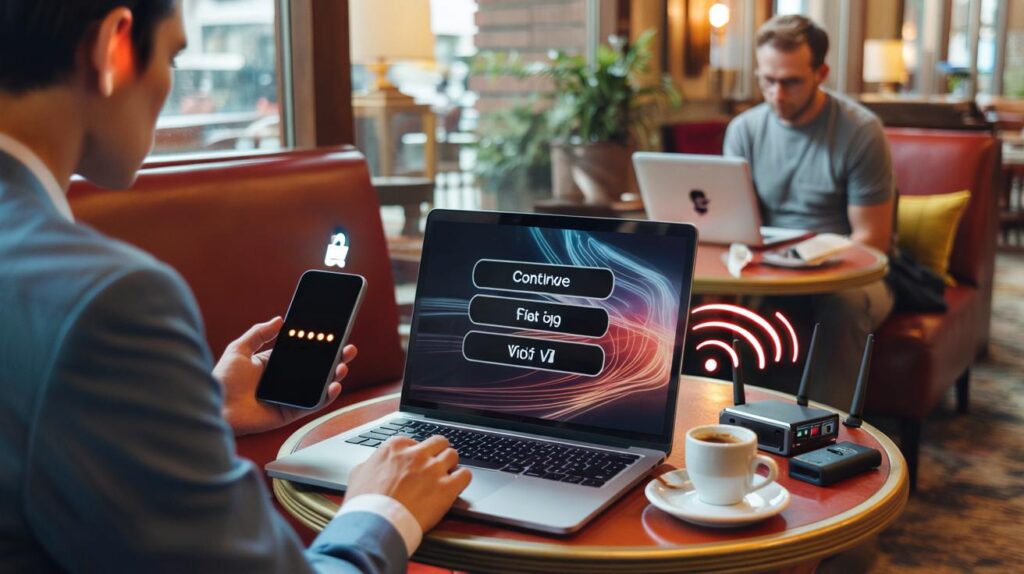
Using public Wi‑Fi feels like a small win: no data charges, quick logins, a seat by the window. But a quiet new scam is turning those cosy cafés and hotel lobbies into traps that siphon your passwords, cookies and even card details.
The mid‑morning hum of a café in Bristol: steam hisses, spoons clink, and a dozen open laptops glow under hanging bulbs. A sign near the till reads “Free Wi‑Fi — HotelGuest_5G — no password.” Two tables over, a traveller frowns at a login screen that looks familiar enough: “Continue with Google to get online.” She clicks. A little spinner whirls. A code pings her phone. She types it without thinking, because the latte’s getting cold and the Zoom is in five minutes.
Ten minutes later, someone else is online too — on her accounts. The Wi‑Fi was real. The portal was not. And the only clue was a hyphen in the web address you’d never notice in a hurry.
The quiet trick behind free Wi‑Fi
Public networks don’t just connect you to the internet; they funnel you through captive portals that set the rules. That portal is the stage for a new kind of con: a near‑perfect copy of a login page that nudges you to “Sign in with Google, Apple, or Microsoft.” It looks polished, uses a padlock, and loads fast. Your brain relaxes because it feels routine.
Attackers call it an “evil twin” with an “evil proxy.” They broadcast a network name that mirrors the venue’s, then serve a fake portal on first click. The twist is modern: instead of stealing your password alone, the proxy captures the session token after you pass two‑factor authentication. That token can unlock your email, cloud drive, even bank statements — without a single failed login alert.
We’ve all had that moment when the “free Wi‑Fi” clock is ticking and you just need the connection to work. That pressure is the attacker’s best friend. The scam is sticky not because people are careless, but because the design of public Wi‑Fi encourages speed: accept, click, move on. When the portal copies the exact colours and copy you expect, it slides past your scepticism like a hand through water.
How the new scam steals your day
Here’s the play in three beats. First, a rogue hotspot appears: same venue name, maybe with a dash, a 5G tag, or “Guest” instead of “Guests.” Your device auto‑joins because it has “Auto‑connect” on. Second, a portal opens that looks legit and proposes a “Continue with…” button. Third, a transparent reverse proxy ferries your keystrokes and the one‑time code to the real service, then grabs the session cookie on the way back. You see your inbox load. The attacker sees a live key they can replay for hours.
Variations keep popping up in hotels and co‑working spaces. Some portals ask for a small “service fee” of £1, promising it’ll be refunded — the page supports Apple Pay or card entry and harvests the lot. Others stick QR codes on tables that install a “Wi‑Fi profile” which silently adds a malicious proxy or root certificate. It’s subtle, portable, and it travels wherever tourists do.
A senior penetration tester in London told me their team can set up a convincing twin in under ten minutes with off‑the‑shelf gear. They don’t need to crack encryption; they copy the experience. HTTPS still encrypts the journey, but if you visit a lookalike domain through a slick proxy, the padlock merely confirms you’re safely talking to the wrong person. That’s the uncomfortable truth about trust on tiny screens.
Small moves that beat big scams
Start with the name. Ask staff to confirm the exact network name and whether a portal exists. Add that network manually rather than tapping the first thing that pops up. On your phone and laptop, turn off Auto‑Join/Auto‑Connect for public networks, and toggle “Ask to Join Networks” so you get a prompt instead of a blind handshake. Use a trusted VPN before you open a browser, and keep it on until you disconnect. **If a network asks for your email and your card, walk away.**
Favour your own hotspot when the task is sensitive. It burns battery, yes, but it keeps your traffic out of strange hands. Keep your browser and OS fresh, and log into critical accounts only after you leave the café. **Never enter passwords into a public Wi‑Fi “login” page.** Use passkeys or a password manager that flags dodgy domains. Let’s be honest: nobody checks every URL bar every day. That’s why adding friction — like waiting to handle banking until you’re back on mobile data — saves grief.
Spot the tells that portals use to rush you. Typos in brand names. Domains with odd hyphens or extra letters. Promises of “faster speed” if you sign in with one provider. The free Wi‑Fi isn’t free after all.
“The new public Wi‑Fi grift isn’t about breaking encryption — it’s about hijacking habits,” says a UK cyber specialist who audits hotels. “Slow down the moment you see a portal, and half the danger disappears.”
- Verify the SSID with a human, not a sign.
- Turn off Auto‑Join for any network you don’t control.
- Prefer your hotspot for anything private or financial.
- Use a reputable VPN and keep MFA on, even for email.
- Forget the network when you leave; don’t let it linger.
What to do if you clicked
Breathe first. Then act like a pro. Change the passwords for any account you touched on that network, using a new, unique passphrase. Log out of all sessions from your account security page, which invalidates stolen cookies. Turn on passkeys or app‑based MFA so push codes aren’t the only line. **Use your phone’s hotspot when the task is sensitive.** If a portal captured card details, call your bank, freeze the card, and ask for a replacement. It’s a hassle that beats the alternative.
On the device side, forget the dodgy network so it can’t hook you again. Remove any unexpected Wi‑Fi profiles or root certificates you don’t recognise. Clear your browser cookies and active logins. Run a malware scan not because this scam always plants software, but because attackers often bundle tricks. File a quick report with the venue and Action Fraud so patterns get mapped. Small reports build big warnings for the next person.
The bigger shift is mindset. Public Wi‑Fi is fine for maps, menus, and podcasts. It’s the digital equivalent of chatting in a queue: casual, overheard, not private. Reserve your personal admin for connections you own. Share these guardrails with the people you travel with, especially teenagers who jump on any open network because it “just works.” The goal isn’t paranoia; it’s rhythm. Slow the portal moment, and the scam loses its grip.
| Key points | Details | Interest for reader |
|---|---|---|
| Evil twin + proxy portals | Lookalike SSIDs and slick “Sign in with…” pages capture session tokens after MFA | Explains why even careful people get caught |
| Simple, strong habits | Confirm SSID, disable auto‑join, use hotspot/VPN, avoid passwords on portals | Practical steps you can use today |
| If you clicked, cut access | Change passwords, revoke sessions, remove profiles, notify bank and venue | Clear recovery plan limits the damage |
FAQ :
- Is the padlock icon enough to trust a Wi‑Fi portal?No. The padlock shows encryption to that site, not that the site is who you think. Check the domain name, not just the lock.
- Do I still need a VPN if sites use HTTPS?Yes for public Wi‑Fi. A VPN reduces leaks, blocks some snooping, and keeps you off rogue DNS, even when HTTPS is in play.
- Can attackers bypass my two‑factor codes?They can steal session cookies with reverse‑proxy portals. Revoke active sessions from your account’s security page to kick them out.
- Is mobile data really safer than café Wi‑Fi?Generally yes. Your carrier network isn’t sharing a local hotspot with strangers, and it avoids captive portals entirely.
- What’s the quickest safe setup in a hotel?Confirm the exact SSID at reception, connect, start your VPN, avoid “Sign in with…” on portals, and skip anything financial until you’re back on mobile data.



Thanks for the clear explainer. I’d heard of evil twins, but didn’t realise they could snatch session cookies after MFA. I’m defintely turning off Auto‑Join and saving banking for my hotspot.
Isn’t this a bit alarmist? If HTTPS is everywhere and I use MFA, how likley is this in the wild? Some numbers or sources would help.