
Food waste doesn’t start in the bin. It starts in our heads, with fuzzy plans and forgotten corners of the fridge. A digital grocery planner can quietly fix both: the waste and the mental load.
Sunday night, the kitchen falls into that familiar hush. A half-limp cucumber leans against a jar of mustard; two yoghurts are flirting with their best-before dates. The calendar on the fridge says “Busy week”. My phone pings and, without fanfare, a shared list fills with what we actually need. We’ve all had that moment when dinner is five minutes away and the fridge looks like a puzzle with missing pieces. A digital grocery planner doesn’t make you a different person. It nudges you to be the version of yourself you already wanted to be. *The trick is that it meets you where you live — in the chaos, not in the dream.* One tiny tweak changes the whole week. Watch this.
Why your phone might be the most helpful item in your kitchen
Open your fridge, and you’re looking at time as much as food. A digital planner turns that silent ticking into signals: what needs using first, what pairs well, what you can skip at the shop. It’s the opposite of guesswork. **Food waste isn’t a bin problem, it’s a planning problem.** When your list, your meals and your actual inventory live together, you stop overbuying “just in case” and start cooking what’s already waiting.
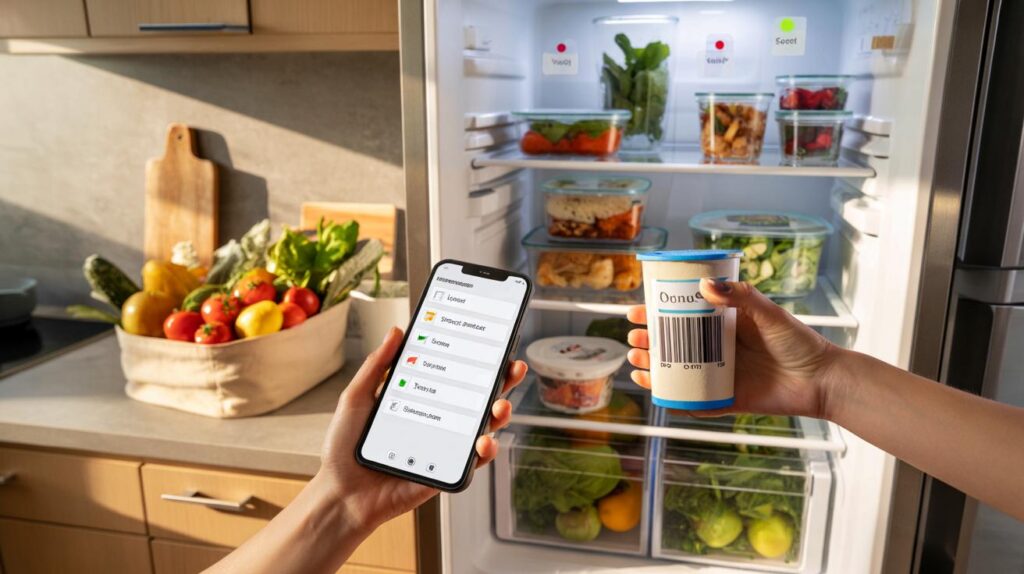
There’s a number that stings: WRAP estimates UK households throw away around 4.5 million tonnes of edible food each year — roughly £60 a month for an average family. Think about that as a gym membership you never use, except it’s strawberries and bread and yoghurt. I met a couple in Manchester who switched to a shared planner with barcode scanning. In three months, they cut their weekly spend by £18 and stopped binning cucumbers. Nothing dramatic. The magic was boring: plan three dinners, buy only those things, eat the leftovers on Thursday.
This works because a planner shrinks the distance between intention and action. Instead of relying on memory, you rely on prompts: “Use chicken by Wednesday.” That tiny nudge beats willpower. Your brain loves defaults, so set good ones — the app offers recipes around what you already have; the list sorts by aisle; your partner sees the same plan. The friction goes down. The wins go up. And your bin stops smelling like regret.
How to set up a digital grocery planner that actually works
Start with 20 focused minutes. Pick one app with shared lists and recipe-to-list features (AnyList, Bring!, Our Groceries, CozZo, NoWaste — choose what feels friendly). Scan or type in 15 staple items you buy often. Add expiry dates for what’s in the fridge today. Then choose three “anchor” meals for the week — stuff you actually cook on weeknights. Link those recipes, convert ingredients to the list, and tick off what you already own. **Shop what you planned, cook what you shopped.** Simple beats clever.
Common traps are sneaky. Overplanning seven perfect dinners leaves no room for leftovers or life. Ignoring your freezer makes you double buy. Forgetting to tick off items after you cook slowly breaks the system. Let’s be honest: nobody actually does that every day. So make it forgiving. Add a “Leftover Night” on Thursday. Keep one wildcard meal that swaps easily. Use voice input when you spot the last egg. And when the plan goes sideways, move the meal, don’t scrap the week.
Here’s the heartbeat of a planner that sticks.
“If it isn’t on the plan, it doesn’t exist. If it’s on the plan, it gets eaten.” — a very honest home cook
- Scan: Do a 90-second fridge check before you add anything new.
- Sort: Prioritise by expiry — red for urgent, amber for this week, green for fine.
- Slot: Give each “use-soon” ingredient a specific meal slot.
- Share: Sync the list with your partner or housemates so only one of you buys the milk.
The small habit that changes the week
There’s a quiet satisfaction to opening the fridge and seeing a plan. Meals line up with your life, not against it. Tuesday’s halloumi salad uses Monday’s leftover roast veg. Friday’s pasta absorbs the last of the spinach. The app didn’t make dinner; it made dinner possible. That’s the real win. What happens next is interesting: you start trusting yourself. You waste less because your plan beats your impulses. You feel lighter because your home runs on fewer decisions and more rhythms. **Start small this week and watch what changes.** You might be surprised by how much space you get back — in your bin, in your budget, in your head.
| Key points | Details | Interest for reader |
|---|---|---|
| Plan from what you have | Inventory + expiry dates feed recipes and lists | Use food before it spoils and cut last‑minute stress |
| Keep it simple and shared | Three anchor meals, shared lists, quick updates | Fewer decisions, fewer duplicates, smoother weeks |
| Build a weekly reset | 90-second check, sort by urgency, slot meals | Consistent habit reduces waste and saves money |
FAQ :
- What’s the best free digital grocery planner to start with?Go for something simple and shareable like Bring! or Our Groceries. If you love recipes, AnyList or Paprika makes adding ingredients effortless.
- How do I plan when my week is unpredictable?Plan three anchor meals and leave buffer nights. Choose flexible recipes that swap proteins or veg without fuss.
- Do I need to scan every single item in my kitchen?No. Track perishables and high‑waste items first: fresh produce, dairy, bread. Add staples gradually as you use them.
- Will a planner really reduce food waste at home?Yes, if you link inventory to meals and buy against a list. Small habits compound: using “cook soon” flags can slash bin-bound food within weeks.
- What about privacy and data?Stick to reputable apps, use minimal permissions, and avoid storing sensitive info. Lists and recipes are low‑risk, and many apps work offline too.



Loved the ‘plan three dinners, eat leftovers Thursday’ idea. We tried a shared list this week and spent £14 less—no duplicate milk, no random ‘just in case’ buys. The aisle-sorted list is such a small nudge but it defintely reduces decision fatigue.