
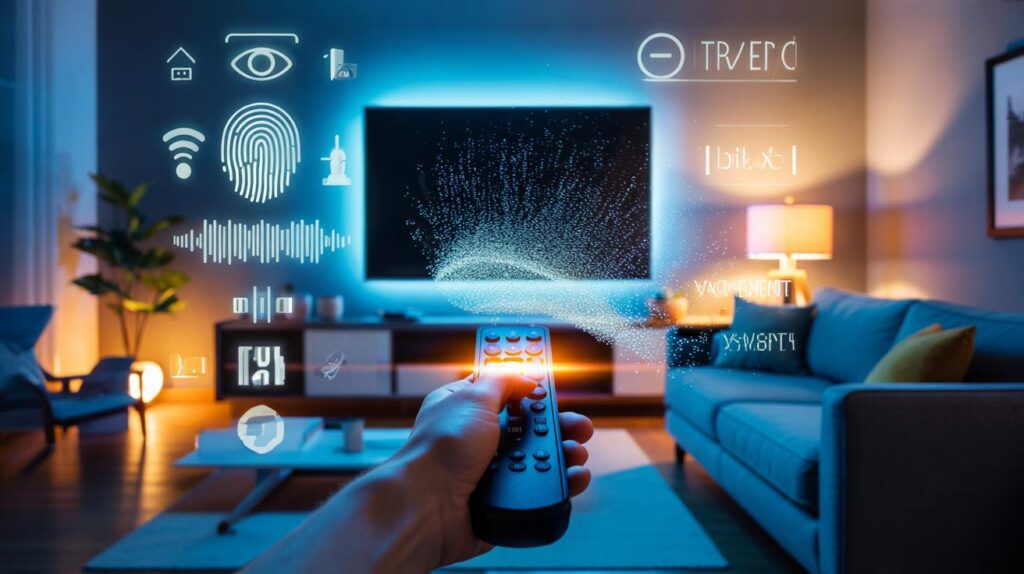
The living room looked harmless: a soft sofa, a plant that refuses to die, a glowing rectangle on the wall. Then I opened my Smart TV’s privacy menu. The list of things it was quietly scooping up made my tea go cold.
It started with a flicker in the corner of the screen after a routine update. A friendly blue banner nudged me to “enhance recommendations” and “get the best experience.” I hit “Not now,” like we all do when we just want to watch the match. Later that night, curiosity won. I dug into settings and, honestly, I was rattled by what I found.
The TV wasn’t just tracking the apps I opened. It could identify the shows I watched through any input, log the time I paused a scene, and tie that to an advertising ID. My telly had better memory than I do. *I could almost feel the TV leaning in.*
I took a breath and decided to switch off the spying bits. That’s where things got interesting.
What your TV actually collects when nobody’s looking
Modern TVs don’t just show content; they study it. Automatic Content Recognition (ACR) scans what’s on screen—streaming, HDMI, even broadcast—and matches it against a giant database. The result is a timeline of your watching life, paired to an ad profile tied to your device. It’s pitched as “making ads more relevant.” It also builds a file on your habits.
Then there’s voice. If your remote has a mic, snippets can be sent to the cloud for processing and “quality improvement.” Usage diagnostics track which apps you open and for how long, often shared with the TV maker and “partners.” Your TV’s advertising ID is like a name badge for companies you’ve never met. It resets, but it rarely forgets.
The scale isn’t theoretical. In 2017, Vizio paid a settlement in the US after collecting viewing data from millions of sets without proper consent. A 2019 study from Princeton and the University of Chicago found that popular streaming platforms shared data with dozens of trackers. In the UK, consumer tests have repeatedly shown that smart gadgets gather far more than you’d expect. The pattern is consistent: the default is data on.
Switching it off: the exact settings to find and the traps to avoid
First, kill ACR. On Samsung (Tizen, 2021–2025): Settings > Support > Terms & Privacy > Privacy Choices > Viewing Information Services Off. Older models: Settings > Terms & Policy > SyncPlus and Marketing Off. On LG (webOS 5–24): Settings > All Settings > Support > Privacy & Terms > turn off Viewing Information, Personalized Advertising, and Voice Information. On Sony/Google TV: Settings > Privacy > Ads > Opt out of Ads Personalisation; Settings > Privacy > Usage & diagnostics Off; look for “Bravia ACR” or “Viewing Information” and toggle Off if present. On Roku TV: Settings > Privacy > Smart TV Experience > untick “Use info from TV inputs” (that’s ACR). On Fire TV: Settings > Preferences > Privacy Settings > Device Usage Data Off; Collect App Usage Data Off; Interest-based Ads Off.
Now the ad badge. **Reset your Advertising ID and then opt out of personalisation.** On Samsung: Settings > Support > Terms & Privacy > Privacy Choices > Reset Advertising ID, then limit Ads. On LG: Settings > General > Devices > TV > Advertising ID > Reset; in Privacy & Terms, toggle off ad personalisation. On Google/Android TV: Settings > Privacy > Ads > Reset advertising ID, then “Opt out.” On Roku: Settings > Privacy > Advertising > Limit ad tracking. On Fire TV: turn off Interest-based Ads and clear Alexa voice recordings via Settings > Alexa Privacy. This step cuts the link between your old watching history and future ad targeting.
Microphones and data sharing live in different corners. **Turn off “Always Listening” features and delete voice histories.** On LG: Settings > General > AI Service > Voice; clear history. On Samsung: Settings > Voice > Voice Data; delete. On Google TV: Settings > Privacy > Microphone; set to Off when possible, and remove the mic permission for unused apps. On Roku: Settings > Privacy > Microphone. For Vizio: Menu > Admin & Privacy > Viewing Data Off; Ads > Reset Ad ID. If your set has HbbTV toggles in Europe, switch off “HbbTV” or limit it to on-demand; it’s another path for broadcast interactivity and tracking. Let the picture speak for itself.
Why this data matters more than a few creepy ads
On its own, “you watched a crime drama at 10:12pm” doesn’t sound like much. When combined with time of day, app usage, location, and smart-home patterns, it becomes a behavioural fingerprint. It hints at shift work, family routines, and even religious holidays. Pair it with your phone’s activity and an ad ID, and you’ve built a surprisingly intimate diary. It’s not paranoid to limit that.
There’s also the reinforcing loop. The more your TV learns, the tighter its recommendations get. That seems helpful, until you realise the system narrows what you see and what you’re shown in ads, nudging taste and spend. We’ve all had that moment when a trailer you watched once becomes your entire home screen for a week. Small frictions change behaviour, quietly.
Legally, the defaults often skate on “consent” screens and bundled agreements. The reality is that most people click through at setup, then never return. **Let’s be honest: nobody really audits their TV’s settings every week.** That’s why toggles are buried under “Terms” rather than “Privacy,” and why ACR gets cheerful names like “Smart Experience.” The fix is simple but not obvious. Your home deserves obvious.
Make these changes tonight: calm, practical and done in minutes
Do a five-minute privacy sweep. Start with ACR, then ads, then voice, then diagnostics. Go brand by brand if you have multiple tellies. For any TV, search Settings for terms like “Viewing Information,” “Smart TV Experience,” “Live Plus,” “ACR,” “HbbTV,” “Advertising,” “Usage & Diagnostics,” and “Voice.” Kill anything that sends viewing data, trim diagnostics to “basic,” and wipe histories. Finish by rebooting the TV so the toggles stick. **Turn off ACR.** That one change usually cuts the deepest data flow.
Two easy mistakes trip people up. One: you turn off ads but leave ACR on, so the TV still watches everything, it just shows slightly duller adverts. Two: you reset the ad ID but don’t opt out of personalisation, so the profile rebuilds from scratch in days. Watch out for brand relabelling after updates—“Live Plus” on LG or “Viewing Services” on Samsung can quietly reappear. If you use voice search, keep the mic on-tap but delete recordings monthly. If that sounds like a faff, you can schedule a quick reminder. Let the telly earn your trust, not the other way round.
Here’s the sanity check I give friends when they ask if it’s worth it.
Privacy shouldn’t be a hobby. It should be the quiet default that lets you enjoy your evening without an audit trail.
- ACR Off: stops screen-scanning across HDMI and apps.
- Ad ID Reset + Opt-out: breaks the profile link.
- Voice History Cleared: removes stored samples.
- Usage/Diagnostics Basic: limits background reporting.
- HbbTV/Interactive Ads Off: shuts a lesser-known door.
Where this leaves us tomorrow morning
I don’t want a purist, unplug-everything life. I want a living room that feels like mine. After switching off the noisy bits, the TV still streams beautifully, apps still work, recommendations feel a shade broader, and the house is quieter in a way you can’t hear. Friends message asking for the steps, then message again to say they sleep a little easier. That’s the whole point. No crusade. Just fewer people peering through the glass. Share the remote. Share the steps. Let the screen be a screen again.
| Key points | Details | Interest for reader |
|---|---|---|
| ACR is the big data firehose | It scans everything on screen and sends matches to build a viewing profile | One switch cuts the majority of tracking in minutes |
| Ad IDs can be reset and limited | Reset the ID and opt out of personalisation to halt profiling | Simple action that blunts ad targeting without breaking apps |
| Voice and diagnostics have hidden menus | Delete recordings, disable “always listening,” reduce diagnostics to basic | Reduces sensitive data leaving the home, keeps convenience where you want it |
FAQ :
- Does turning off ACR stop recommendations?It weakens hyper-targeted suggestions, but apps like Netflix still recommend based on in-app views. Picture and streaming remain normal.
- Will updates re-enable tracking?Occasionally. After major firmware updates, revisit Privacy/Terms menus. It’s a two-minute check that protects months of watching.
- Is there a single “privacy mode” button?Not across brands. Some offer “Privacy Choices,” but you’ll still need to toggle ACR, ads, voice, and diagnostics individually.
- Can I block tracking at the router?Advanced users can block known ACR domains or use DNS filtering. That can break features, so try TV settings first, then network tools if you’re comfortable.
- What if I actually like personalised ads?You can leave ads on and just disable ACR and voice logging. It’s not all-or-nothing; keep what helps, mute what feels nosy.



Definately the clearest walkthrough I’ve read. Took me 6 minutes on an LG C1: All Settings > Support > Privacy & Terms—off for Viewing Information + Personalized Advertising; reset Ad ID; cleared voice history. TV feels less shouty. Thanks!
Isn’t ACR basically how they subsidize cheap TVs? If I switch it off, what do I actualy lose besides creepy ads? Netflix recs still work, right?