
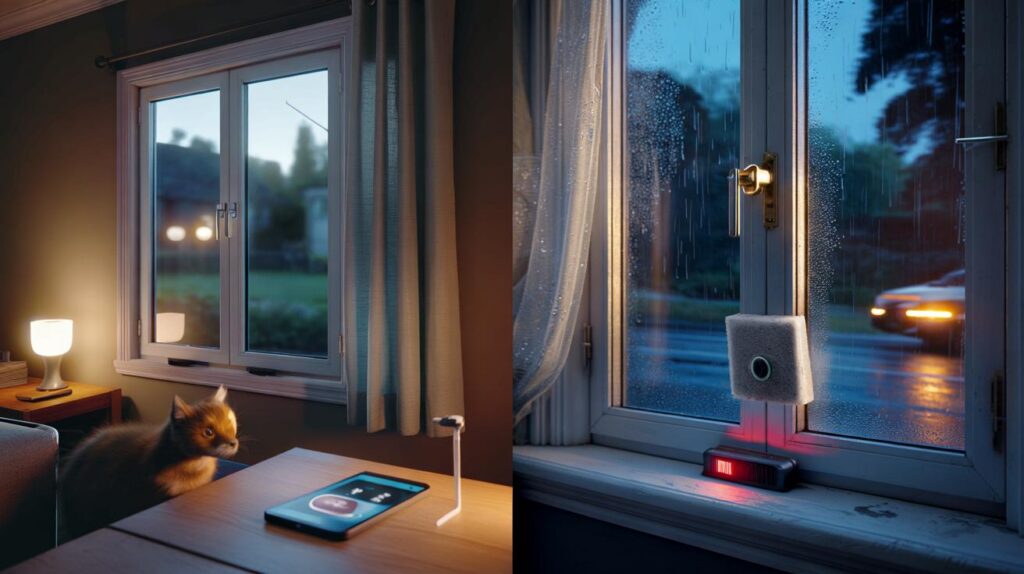
Window sensors promise the quiet comfort of knowing your home is sealed and safe. Then the wind picks up, the sash shivers, and your phone explodes with alerts. The difference between a calm night and a 3 a.m. panic often comes down to a tiny magnet, two strips of adhesive, and how well a sensor understands your window’s mood.
It started with a siren skittering across a hallway floor at 03:14. The night was soft and gusty, the old sash window breathing in and out like a sleeping animal, and the living room sensor decided the house had grown a burglar. In bare feet I padded over, phone buzzing, cat unimpressed, the frame barely rattling but enough to set off the chain. **The right window sensor is the one you forget about.** A week later, I put a dozen models through the same nightly ritual: draughts, slams, gentle taps, and a mean-spirited hairdryer. The surprises came fast. The fixes were oddly human.
Winners, whingers, and the strange science of a rattly frame
Some sensors behaved like seasoned guards; others acted like jumpy interns on their first shift. Aqara’s latest contact sensors, both Zigbee and Thread models, stayed calm when the sash flexed, and only spoke up when the magnet truly parted. Eve’s Door & Window was similarly grounded on a uPVC casement that wobbles after sunset. On the flip side, two bargain Wi‑Fi contacts from no‑name brands were trigger-happy at the faintest tremor. They didn’t fail so much as misread the room. *This isn’t about gadgets, it’s about sleep.*
One blustery Brighton afternoon, a north-facing bay window made a cheap vibration-only sensor cry wolf 19 times in an hour. Swap in Ring’s Contact Sensor (Gen 2) and the storm turned into silence, aside from a single ping when the frame lurched during a bus rumble. On a metal-framed office window, Hue’s Secure Contact Sensor shrugged off temperature swings that sent a generic reed sensor into sulks by dinnertime. The numbers in my logbook were plain: Thread and Zigbee contacts held their line; budget Wi‑Fi units dropped signal or over‑alerted, especially on older, looser frames.
Why the drama at every breeze? Reed switches need a magnet within a comfort zone. When a sash bows in wind, that zone stretches, then snaps back, flicking the reed just enough to switch state for a split second. Temperature adds a twist, shrinking gaps at dawn and widening them by noon. Adhesive pads harden, frames breathe, and a 3 mm misalignment becomes a 50‑push notification meltdown. Models with better magnetic hysteresis — and those that let you set “open” delays — ignore the jitter. The tech is simple; the physics of old windows is not.
How to install so the breeze stops winning
Mount the magnet where the window moves least. On a sash, that’s often the meeting rail, not the edge that shivers. Test with painter’s tape first, open‑close twenty times, and look for false pings in your app. If the gap is tight, rotate the magnet to widen tolerance. **A 5–10 mm gap is your friend, not a fault.** Add a thin foam pad under the magnet on rattly timber so micro‑vibrations die before they reach the reed. If your platform allows it, add a 2–3 second “opened for” condition before notifications.
Don’t stick sensors on a freezing frame right after you’ve cleaned it — the adhesive sets better at room temperature. Metal frames can throw off weaker magnets; choose a sensor with a stronger magnet or an adjustable one. Let’s be honest: nobody really recalibrates their sensors every month. If your home flits between ice-cold and sauna, pick a contact with Thread or Zigbee for steadier links, then forget it. And yes, the tamper switch is there for a reason, but on rattly windows it can be the drama queen; tighten the housing or add a felt dot.
We’ve all had that moment when an alert pings and your heart kicks, only to find a window that’s barely ajar.
“Treat the window, not the app,” said a veteran installer in Hove. “Stiffen the rattle, space the magnet, add a delay. Most ‘bad sensors’ are just badly mounted.”
Here’s the cheat‑sheet I wish I’d had on day one:
- Choose contact sensors over pure vibration units for breezy rooms.
- Test positions with tape for a day before you commit glue.
- Add a 2–5 second “open for” delay in HomeKit, Ring, or Home Assistant.
- Use foam pads on lively timber; keep magnets parallel, not skewed.
- Thread or Zigbee beats budget Wi‑Fi on flaky frames and long halls.
Models that earned trust — and those that didn’t
Aqara’s Door and Window sensors (Zigbee T1, Thread P2) were the calmest in a draughty Victorian terrace. They tolerated a sloppy gap and didn’t blink at a gust that made a cheaper reed chatter. Eve Door & Window was nearly as stoic, and the Thread backbone never once fell off the network in a week of bluster. Ring’s Contact Sensor felt mundane in the best way: sticky tape on, aligned magnet, job done. Hue’s Secure Contact Sensor was faultless but pricey, better suited to those already in Hue’s world. Shelly’s Door/Window 2 added temperature and light, which is fun but chatty; in windy rooms those extras add noise you might not want.
What grated? Two unbranded Wi‑Fi contacts that came in multi‑packs. They were keen through the setup and then lost interest, dropping off every other day on a long hallway window. A vibration-only puck turned out to be more poet than guard, composing alerts every time the sash hummed. That’s not a crime; on a cellar door it caught a real thud I staged with a shoe. On windows that flex in coastal wind, though, false alerts piled up until I stopped believing any of them. Trust is the currency here, and you feel it vanish in a week.
The pattern was clear. Where frames are solid and modern, most contacts behave. In older stock, the gap tolerance and the network stack do the heavy lifting. Magnetic hysteresis matters: better sensors don’t flip state for tiny, brief movements. Smart platforms matter too: if you can set a “notify if open for more than 10 seconds” rule, your phone stays quiet through the gusts yet still barks when a latch lifts for real. Choose the kit that plays to your home’s quirks, and the breeze becomes background again.
Practical moves that stop false alarms before they start
Do a five‑minute “jiggle test” after mounting. Tap the frame, push near the latch, and run a gentle hairdryer on cool across the gap to mimic a gust. Watch the app’s event log for flickers. If it chirps, add a sliver of foam behind the magnet, or shift the pair to a quieter patch of the frame. In Home Assistant or HomeKit, wrap your alert with a “for 3 seconds” condition. On Ring, use Entry Delay for a similar calm buffer. Recheck after sunset when timber softens and frames start to sing.
Common traps are sneaky. Mounting too close to hinge points makes minor flex look like a break‑in. Sticking pads on dusty paint is a slow sabotage, especially on rental gloss that sheds like a snake. Over‑tightening cases bows the reed, which wrecks the gap tolerance you paid for. It’s not about blaming the gear. It’s about giving it half a chance. If a window is loose enough to jangle keys, stiffen the latch or add discreet weatherstrip before you fight settings in an app.
There’s a quiet mindset shift that helps.
“Don’t chase zero alerts — chase meaningful ones,” said Jess, a neighbour who manages short‑lets where sensors fail fast or fly forever.
Quick wins to keep:
- Pick contact sensors with adjustable magnet positions for old sash windows.
- Set “open for X seconds” before notifications; 5–10 seconds suits breezy bays.
- Avoid metal-on-metal mounts unless the magnet is rated for it.
- Label every sensor in the app with the exact location, not just “Window 1”.
- If you must go Wi‑Fi, keep them close to the router or add an extender.
The quiet you’re buying isn’t silence, it’s confidence
Security tech lives or dies on your willingness to believe the next alert. The best window sensors fade into the timber, wake only when the story changes, and let you forget how they got there. **Buy for your windows, not your wishlist.** A Victorian terrace in a coastal gust won’t behave like a new‑build with tight seals, and that’s fine. Shareable rules help too: a tiny wait, a calmer magnet, a steadier network. The point is a home that breathes without scaring you — one that knows the difference between weather and intent. You can get there with careful placement, a patient test, and a sensor that respects a living frame.
| Key points | Details | Interest for reader |
|---|---|---|
| Contact beats vibration on breezy windows | Reed + magnet with decent tolerance ignores micro‑rattles that set off vibration pucks | Fewer false alarms, better sleep, more trust in alerts |
| Placement and delay matter more than brand | Mount on the calmest part of the frame, add a 2–5 s “open for” rule | Simple setup tweaks prevent most midnight pings |
| Thread/Zigbee hold links better than budget Wi‑Fi | Mesh networks ride out distance and thick walls without dropouts | Reliable notifications and fewer “device offline” headaches |
FAQ :
- Do window sensors work on sash windows?Yes, contact sensors work well if you place the magnet on the meeting rail or a part that moves least, and keep a modest 5–10 mm gap.
- How do I stop wind from triggering false alerts?Use a contact sensor, add a 2–5 second “open for” condition, and cushion the magnet with a thin foam pad to damp rattles.
- What sort of battery life should I expect?Most Thread/Zigbee contacts run 12–24 months on a coin cell; chatty Wi‑Fi units can be much shorter, especially at the edge of coverage.
- Can pets set off a window sensor?Contact sensors ignore pets unless the window is moved; vibration-only sensors may trigger if a cat leaps onto a rattly sill.
- Do I need a hub for these sensors?Thread and Zigbee models benefit from a hub or border router; Wi‑Fi units don’t need one but can be less stable on long links.



I swapped a bargain Wi‑Fi contact for an Aqara Thread after reading this and wow, the 3 a.m. panic stopped. The 2–3s “open for” rule is a lifesaver. Thanks!