
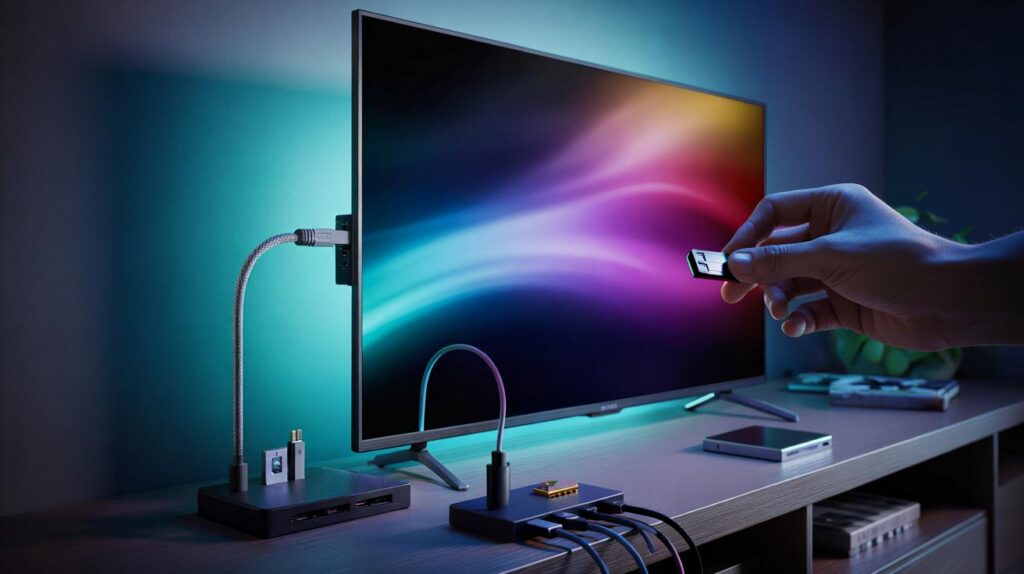
You think the tiny socket on your telly does little. It hides practical tricks that save time, power and money.
Most living rooms already have what they need to fix daily annoyances. The USB port on your TV can power accessories, move video off shaky Wi‑Fi, and even rescue a software update. Here is how viewers turn that quiet socket into a reliable helper, with clear limits and a few pitfalls to dodge.
Seven ways the tv usb port earns its keep
Charge small devices without hunting for plugs
TV USB ports supply 5 volts and usually 0.5–1 amp. That supports slow charging for phones, e‑readers and headphones. It also keeps a gamepad topped up during long sessions. Heavy chargers still need a wall adaptor.
Most TVs deliver 5 V at 0.5–1 A. Expect a gentle trickle, not a fast charge.
Make media local when wifi misbehaves
Copy films, music and photos to a USB stick, SSD or portable hard drive. Many TVs play MP4 and MKV with H.264 video and AAC audio. Subtitles in .srt often work when named like the video file. HEVC 10‑bit, Dolby TrueHD or DTS can fail on older models.
- Use exFAT for large files and cross‑platform support.
- Try H.264 + AAC for maximum compatibility.
- Place test videos in the drive’s root to rule out folder issues.
Pause and record live broadcasts
On models with PVR and timeshift, a USB drive turns into a live TV buffer. You can pause a match, take a call, and resume. Many sets encrypt these recordings, so playback works only on the same TV.
Personal video recorder functions often encrypt files. Do not expect them to play on a computer.
Type faster and control better
A USB keyboard and mouse speed up passwords and searches compared with the remote. A wired game controller cuts input lag for cloud services or Android TV games. Some TVs support only basic keys and pointers, so keep expectations realistic.
Create bias lighting that switches with the screen
A cheap LED strip powered by the TV adds comfortable backlighting. It switches on when the set wakes and off when it sleeps. This reduces eye strain in dark rooms and costs pennies per evening.
Update firmware without a network
Manufacturers offer offline TV firmware packages. Load the file on a clean USB stick and follow on‑screen instructions. This helps when Wi‑Fi drops or a buggy update bricked the network menu.
Extend functions with care
Some sets accept USB‑to‑Ethernet adaptors, webcams, card readers or IR blasters. Support varies by brand and year. Powered hubs can help with storage power, but many TVs work best with a single device on a short cable.
Compatibility, formats and speed you should check
USB 2.0 ports are common and handle most HD files. USB 3.0 ports improve speed for 4K and large libraries. You can spot them by the blue insert on many TVs. Performance still depends on the TV’s software.
| Port | Typical speed | Power label | Best use |
|---|---|---|---|
| USB 2.0 | Up to 480 Mb/s | 5 V 0.5 A | Photos, music, HD video, keyboards |
| USB 3.0 | Up to 5 Gb/s | Often 5 V 0.9–1 A | 4K files, SSDs, PVR |
| HDD‑labelled port | Varies by TV | 5 V 1 A (or more) | Portable hard drives, reliable recording |
Look for “HDD 5V 1A” or a dedicated recording port when powering portable drives.
Most TVs recognise the USB Mass Storage Class only. Phones in MTP mode may not appear. A “service only” port can exist and will not play media.
Filesystems and formats that avoid headaches
Use exFAT for drives larger than 32 GB. Older sets prefer FAT32 but limit single files to 4 GB. NTFS support exists on some brands, not all. Keep filenames simple and avoid special characters.
- Video: MP4 or MKV, H.264 baseline/high, 1080p or 2160p at 24/30 fps for safety.
- Audio: AAC or MP3. FLAC works on some apps, not universal.
- Subtitles: .srt with UTF‑8 encoding and the same basename as the video.
Do not remove a drive during playback, recording or update. File corruption risk is high.
When things refuse to work: a 5‑minute checklist
Start with the simple swaps
Try another USB port on the TV. Test with a different stick. Use a shorter, known‑good cable. Reformat to exFAT or FAT32 after backing up.
Reduce complexity
Encode a short test clip in H.264 with AAC. Keep resolution at 1080p for the test. Place it in the root of the drive.
Give storage enough power
If a hard drive spins up then drops, use the TV’s high‑current port or an external power supply. SSDs draw less power and handle vibration better.
Check the menus
Enable PVR if present. Some brands require the TV to “certify” a drive before recording. The process can reformat the storage.
Reset the handshake
Power the TV off at the wall for one minute. Reconnect the USB device after the TV boots fully.
Privacy, security and energy you should weigh up
Never plug in unknown USB sticks. Malware can target devices that scan media automatically. Use your own storage and keep it clean. For recordings, remember that encryption ties the drive to one TV, which protects broadcasters but limits portability.
Power draw from the USB port is modest. A 5 V 1 A load equals 5 W. A bias‑light strip at 2–3 W costs only a few pence per week if used nightly. Some TVs power USB while in standby, so check eco settings if you want lights to turn off completely.
Extra gains most households miss
You can stabilise streaming sticks by feeding them from the TV’s USB so they sleep with the screen. Many 4K dongles still need their supplied adaptor for peak power, so test for restarts. A USB‑to‑Ethernet adaptor may speed apps on Android TV or Google TV if drivers exist on your set. That can shave seconds off app launches during evening congestion.
Travellers can carry a small 128 GB stick with films encoded to the TV’s sweet spot. Label it with the codec and resolution. House‑shares can keep separate sticks for kids and adults, cutting arguments over logins. For hobbyists, a £10 USB power meter helps check whether a drive is starved, which prevents random disconnects during recordings.



Had no idea the “HDD 5V 1A” label mattered—plugged my portable SSD and PVR finaly stopped dropping frames. Also swapped to exFAT and short cable; rock solid now.